VS Code Extension Plugin(Zepp OS Dev Tools)
This plugin is deprecated and no longer provides documentation or technical support, please use the Zeus CLI Tool
Introduction
Zepp OS Dev Tools is an extension to the popular Visual Studio Code editor, currently implementing the npm package @zeppos/zeus-cli (CLI for short) commands for visual interaction, and will support more new features in the future, so stay tuned.
Prerequisites
- Requires Visual Studio Code version 1.67.0 and above
Plugin Installation
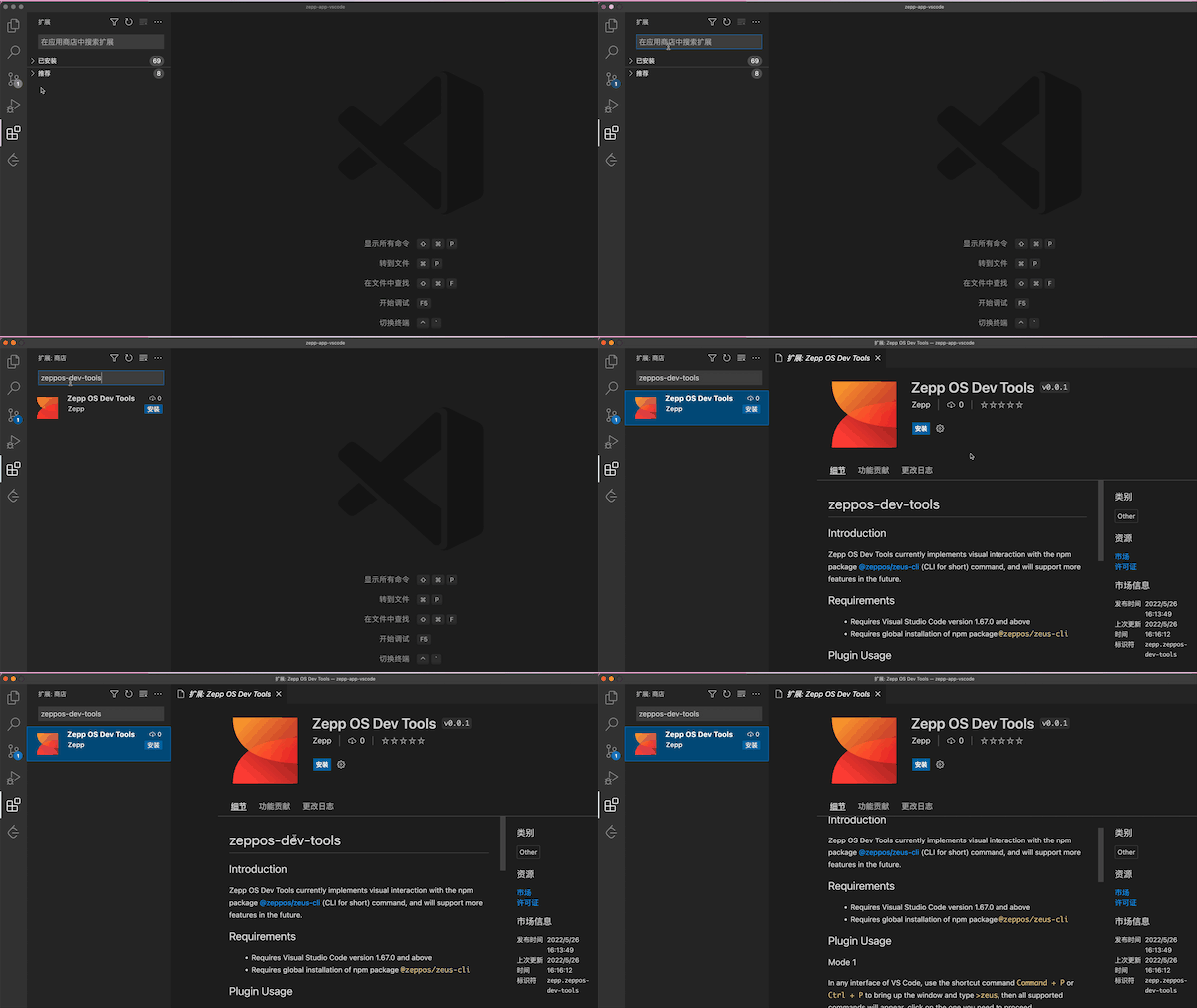
Search for Zepp OS Dev Tools in the VS Code Plugin Marketplace, then click Install.
Plugin Configuration
Configure 1(Version 0.1.0 is not supported)
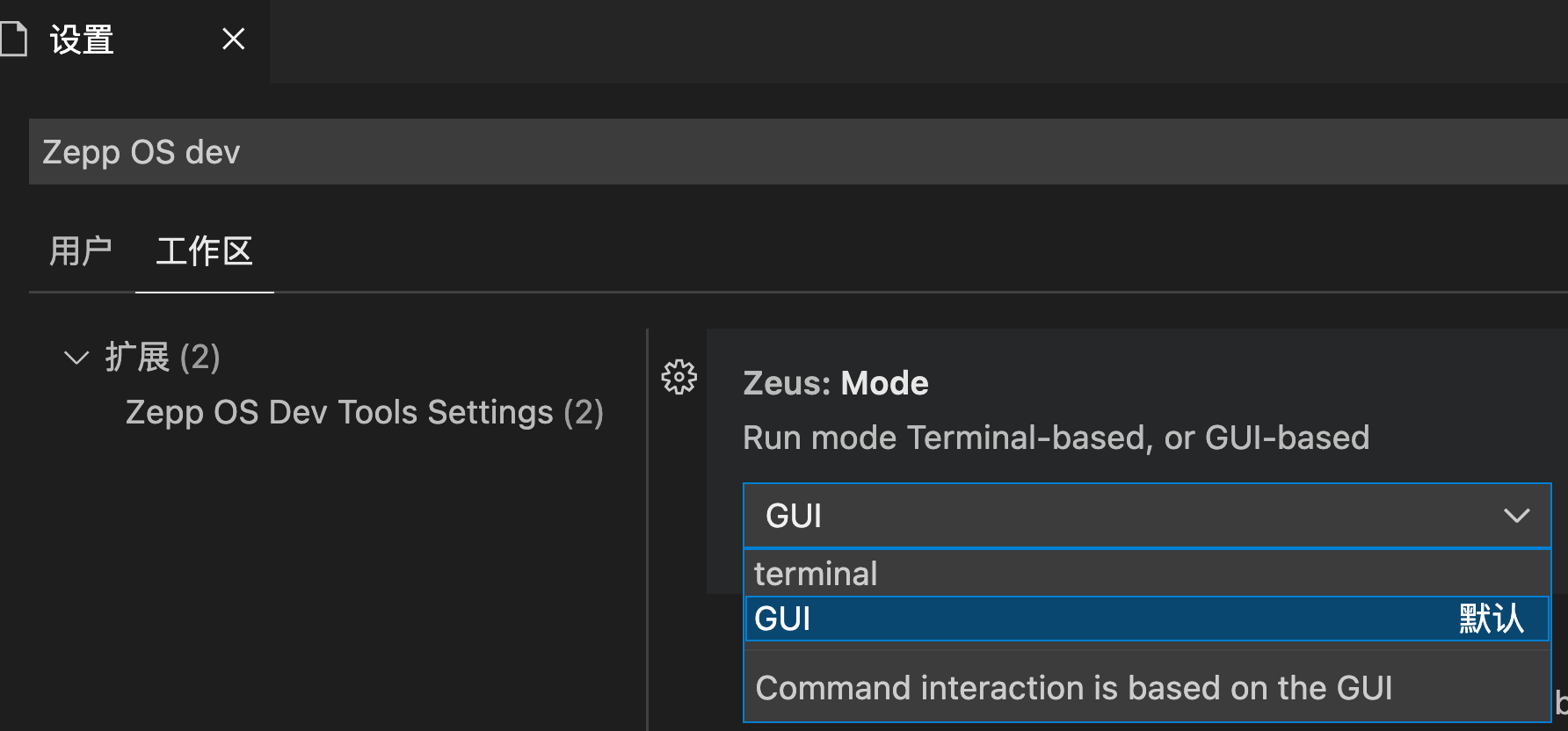
Run mode Terminal-based, or GUI-based:
- terminal: Command interaction is based on the terminal command line
- GUI: Command interaction is based on the GUI
The default value is GUI
Configure 2
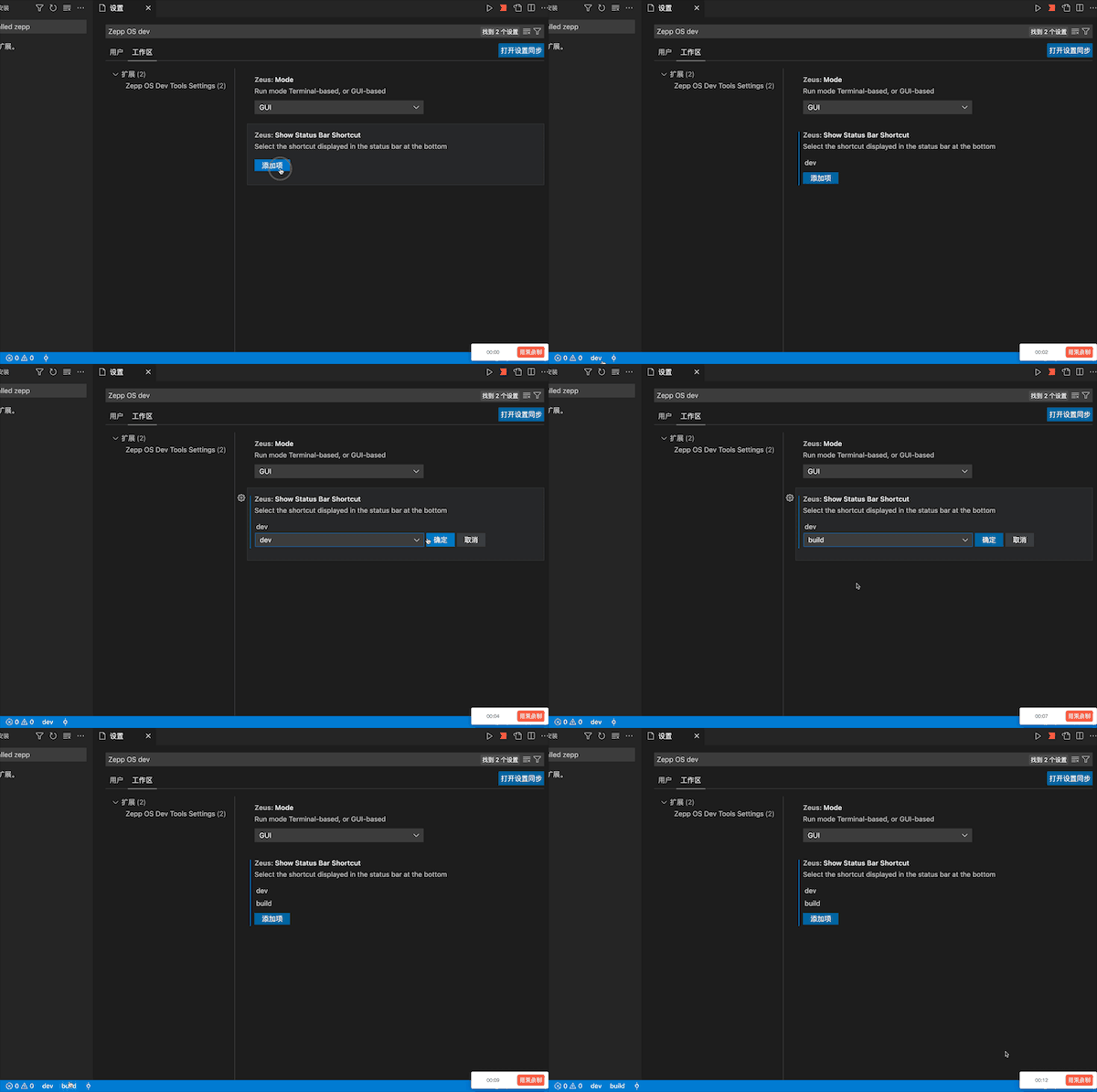
The shortcut displayed in the status bar at the bottom:
- dev: The
zeus devcommand corresponding to the CLI - preview: The
zeus previewcommand corresponding to the CLI - bridge: The
zeus bridgecommand corresponding to the CLI - build: The
zeus buildcommand corresponding to the CLI - rocket: Full Feature List
The default value is []
Plugin Usage
Mode 1
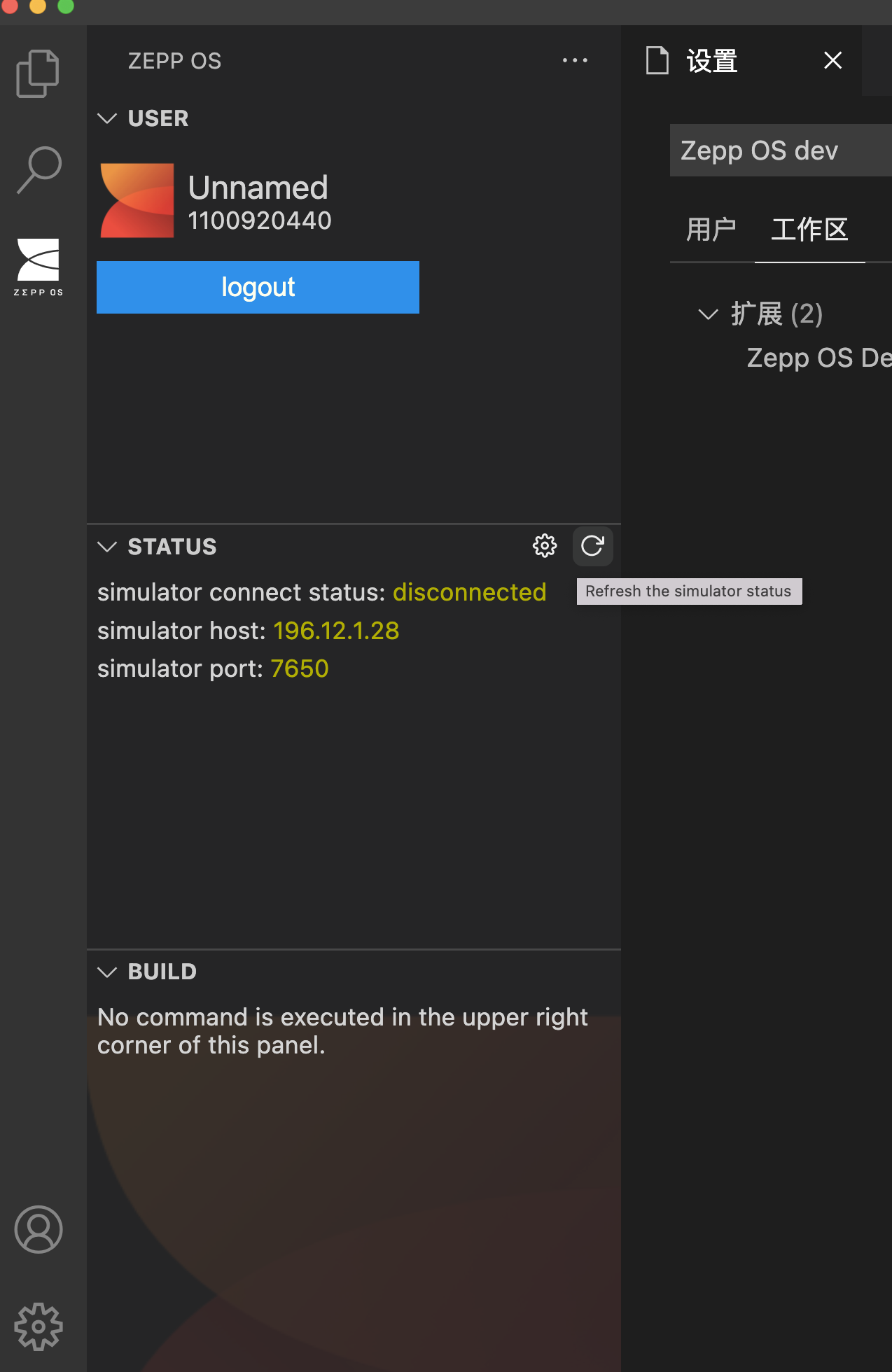
Add zepp-os-explorer view for USER, STATUS, BUILD related information display and provide shortcut function buttons.
Mode 2
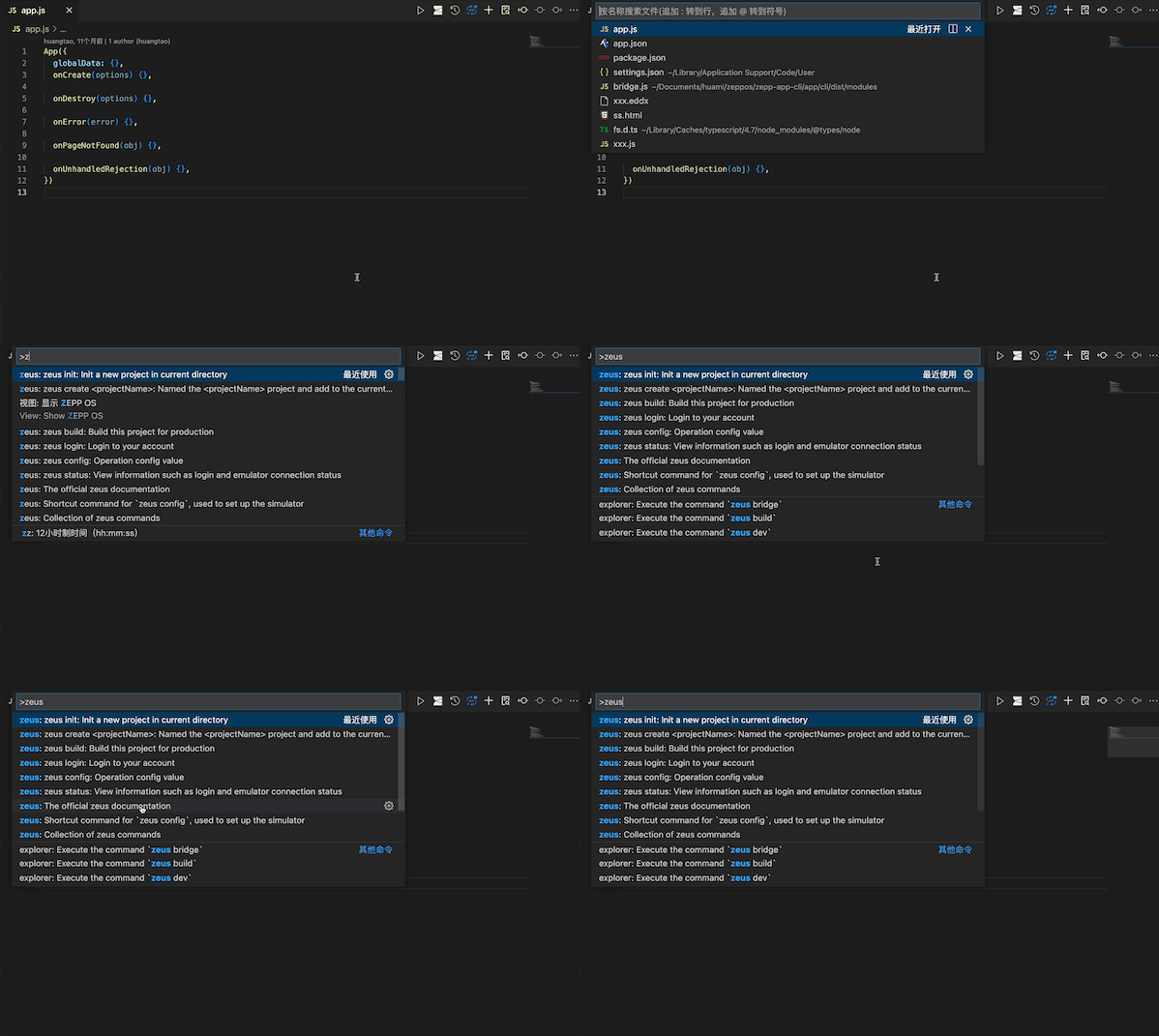
In any interface of VS Code, use the shortcut command Command + P or Ctrl + P to bring up the window and type >zeus, then all supported commands will appear, click on the one you need to proceed.
Mode 3
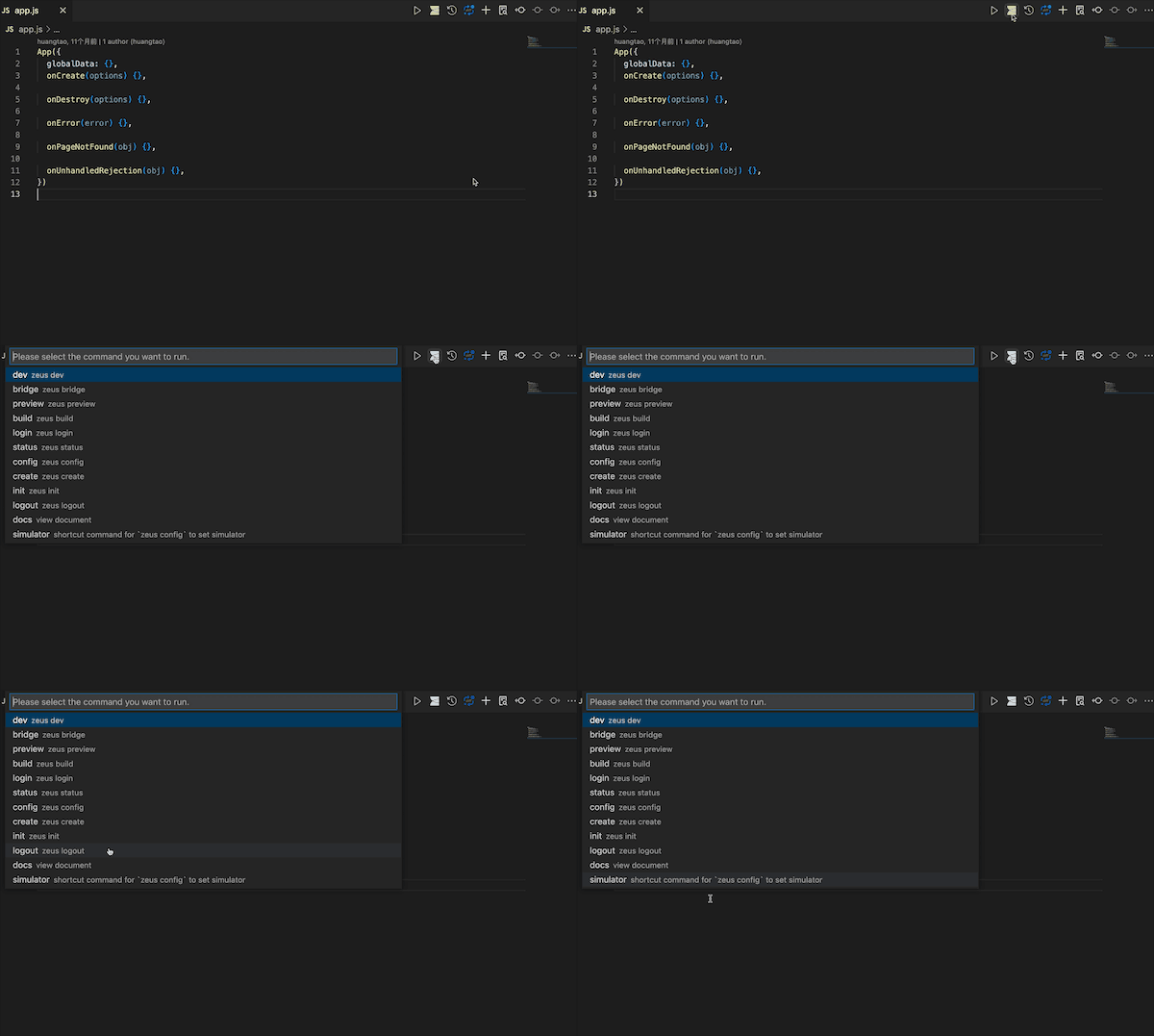
On the editor page, open any file and you can see a little ZEPP OS icon in the title status bar in the upper right corner, click it to summon a pop-up list of all commands.
Mode 4
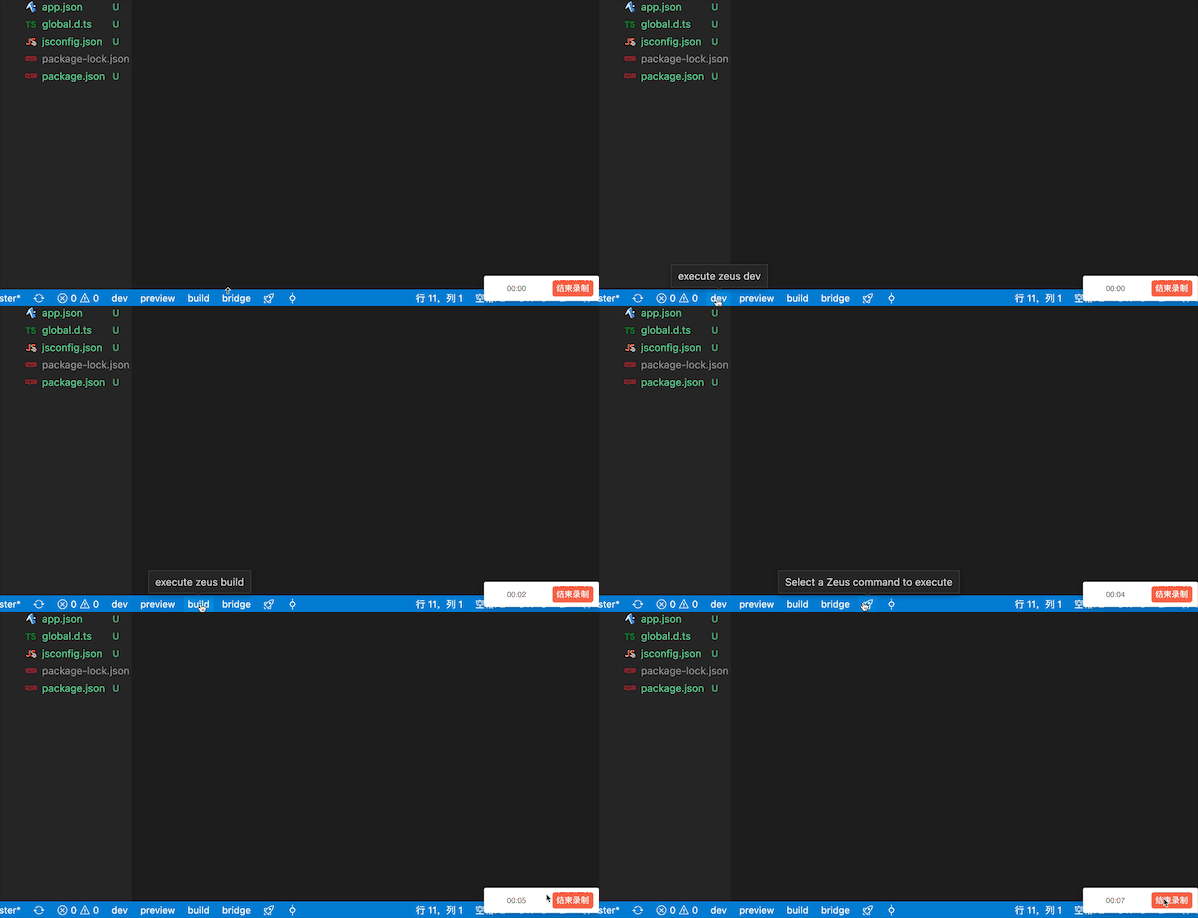
After activating the plug-in (i.e., having executed Mode 1 or 2 or 3 once, and the Plugin Configure 2 is effectively set), the common commands of the CLI will appear in the status bar at the bottom of VS Code, making subsequent development faster.
Support commands
zeus.commandsFull Feature Listzeus.docsView Documentszeus.check.installCheck if the@zeppos/zeus-clidependency is installed globallyzeus.createThezeus createcommand corresponding to the CLIzeus.initThezeus initcommand corresponding to the CLIzeus.loginThezeus logincommand corresponding to the CLIzeus.logoutThezeus logoutcommand corresponding to the CLIzeus.statusThezeus statuscommand corresponding to the CLIzeus.configThezeus configcommand corresponding to the CLIzeus.devThezeus devcommand corresponding to the CLIzeus.buildThezeus buildcommand corresponding to the CLIzeus.previewThezeus previewcommand corresponding to the CLIzeus.bridgeThezeus bridgecommand corresponding to the CLIzeus.simulatorShortcut command forzeus configto set simulator
If you are not familiar with the CLI and its commands, you can check out the CLI documentation