Developer Mode
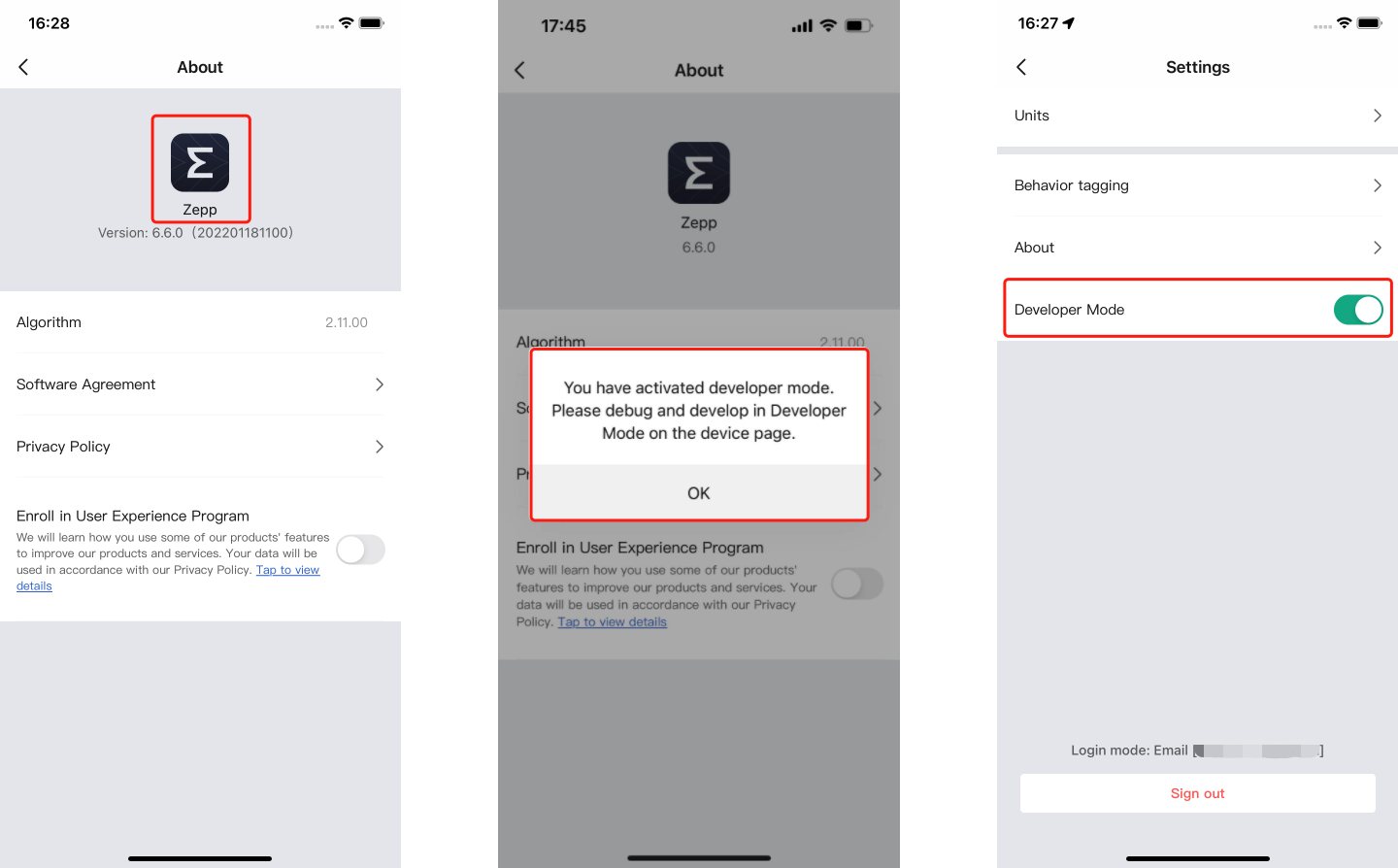
Turn on: open "Profile" > "Settings" > "About", repeatedly click the application icon until the pop-up window pops up
Turn off: open "Profile" > "Settings", click to turn off developer mode
Turn on: open "Profile" > "Settings" > "About", repeatedly click the application icon until the pop-up window pops up
Turn off: open "Profile" > "Settings", click to turn off developer mode